selenium.webdriver unknow error:cannot connect to chrome at 127.0.0.1:9222
老师,你好!
我练习过程中遇到连不上127.0.0.1:9222问题:
条件1、
我的chrome的版本是:74.0.3729.108(正式版本) (32 位)
webdriver的版本是: Driver info: chromedriver=73.0.3683.68
条件2、
通过 chrome.exe --remote-debugging-post=9222 能启动;
http://127.0.0.1:9222/json 也能访问;
条件3:
运行代码前,我把chrome浏览器和firefox浏览器都关闭了。
unknow error:
但是用我如下写代码时,总是报错:
代码:
class login(object):
def init(self, url):
self.chrome_option = Options()
self.chrome_option.add_argument("–disable-extensions")
self.chrome_option.add_experimental_option(“debuggerAddress”, “127.0.0.1:9222”)
self.brower = webdriver.Chrome(executable_path=
“E:/homework/python/zhihu_spider/Zhihu_Spider/Zhihu_Spider/tool/chromedriver.exe”,
chrome_options=self.chrome_option)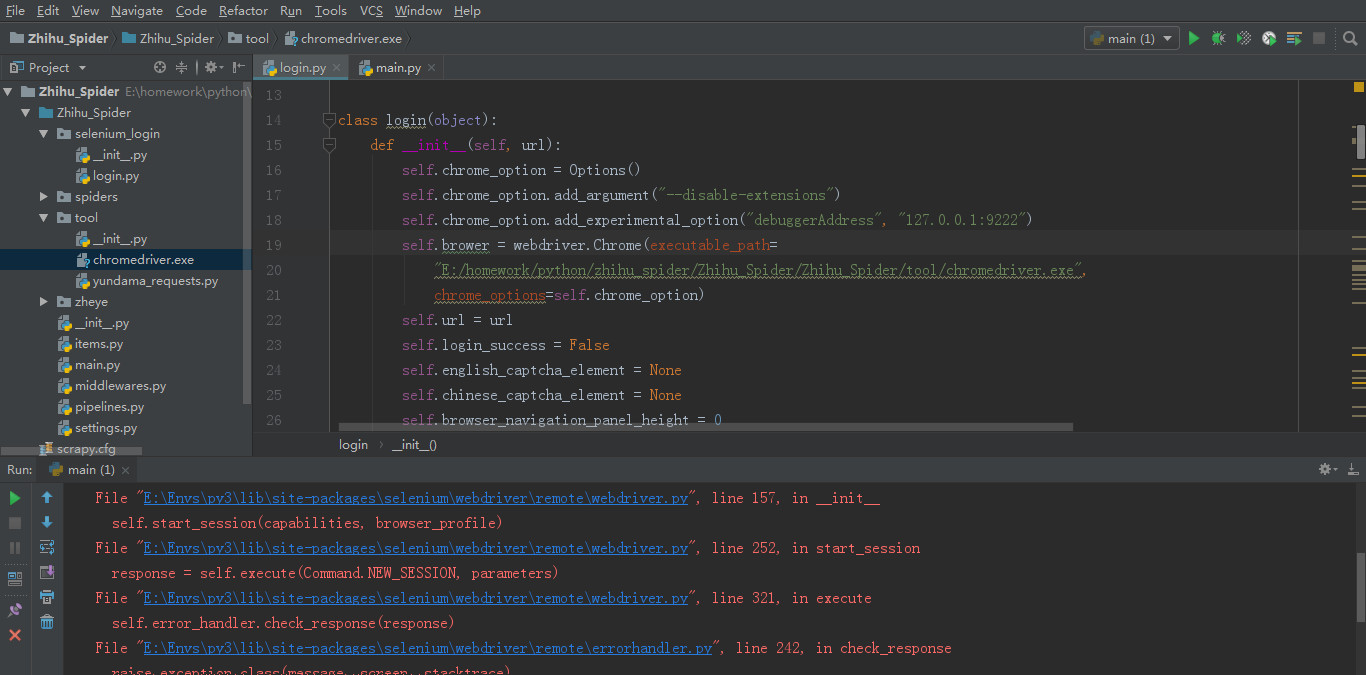
报错信息:
File “E:/homework/python/zhihu_spider/Zhihu_Spider/Zhihu_Spider/main.py”, line 8, in
test_login = login(url)
File “E:homeworkpythonzhihu_spiderZhihu_SpiderZhihu_Spiderselenium_loginlogin.py”, line 21, in init
chrome_options=self.chrome_option)
File “E:Envspy3libsite-packagesseleniumwebdriverchromewebdriver.py”, line 81, in init
desired_capabilities=desired_capabilities)
File “E:Envspy3libsite-packagesseleniumwebdriver
emotewebdriver.py”, line 157, in init
self.start_session(capabilities, browser_profile)
File “E:Envspy3libsite-packagesseleniumwebdriver
emotewebdriver.py”, line 252, in start_session
response = self.execute(Command.NEW_SESSION, parameters)
File “E:Envspy3libsite-packagesseleniumwebdriver
emotewebdriver.py”, line 321, in execute
self.error_handler.check_response(response)
File “E:Envspy3libsite-packagesseleniumwebdriver
emoteerrorhandler.py”, line 242, in check_response
raise exception_class(message, screen, stacktrace)
selenium.common.exceptions.WebDriverException: Message: unknown error: cannot connect to chrome at 127.0.0.1:9222
from chrome not reachable
(Driver info: chromedriver=73.0.3683.68 (47787ec04b6e38e22703e856e101e840b65afe72),platform=Windows NT 6.1.7601 SP1 x86_64)
更新1:
单步调试后,发现Exception是发生在:
WebDriver类的__init__()方法调用下面这个方法去完成connect:
RemoteWebDriver.init()
这个方法里,调用了start_session() 然后间接调用了def execute(self, driver_command, params=None);在这个execute()方法里,执行
response = self.command_executor.execute(driver_command, params)
时出错了。
更新2: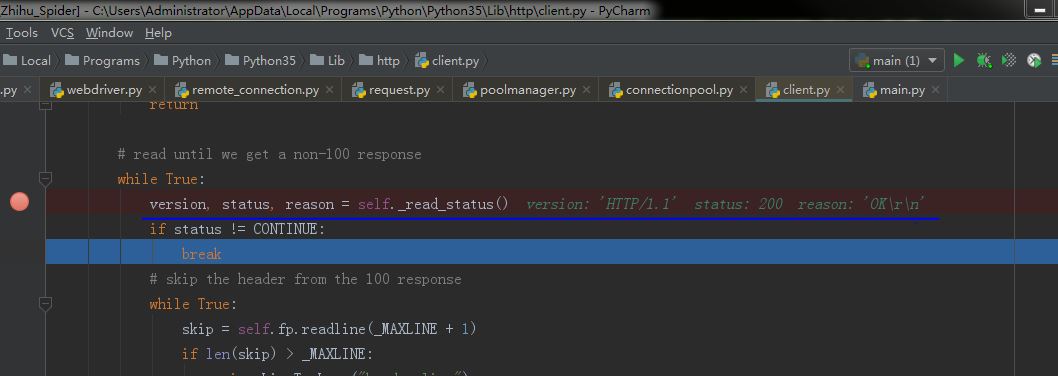 http.client.HTTPResponse read_status()方法返回
version:‘HTTP/1.1’ status:200 reason:“OK\r\n”
正在回答 回答被采纳积分+3
2回答








- 参与学习 5831 人
- 解答问题 6293 个
带你彻底掌握Scrapy,用Django+Elasticsearch搭建搜索引擎
了解课程