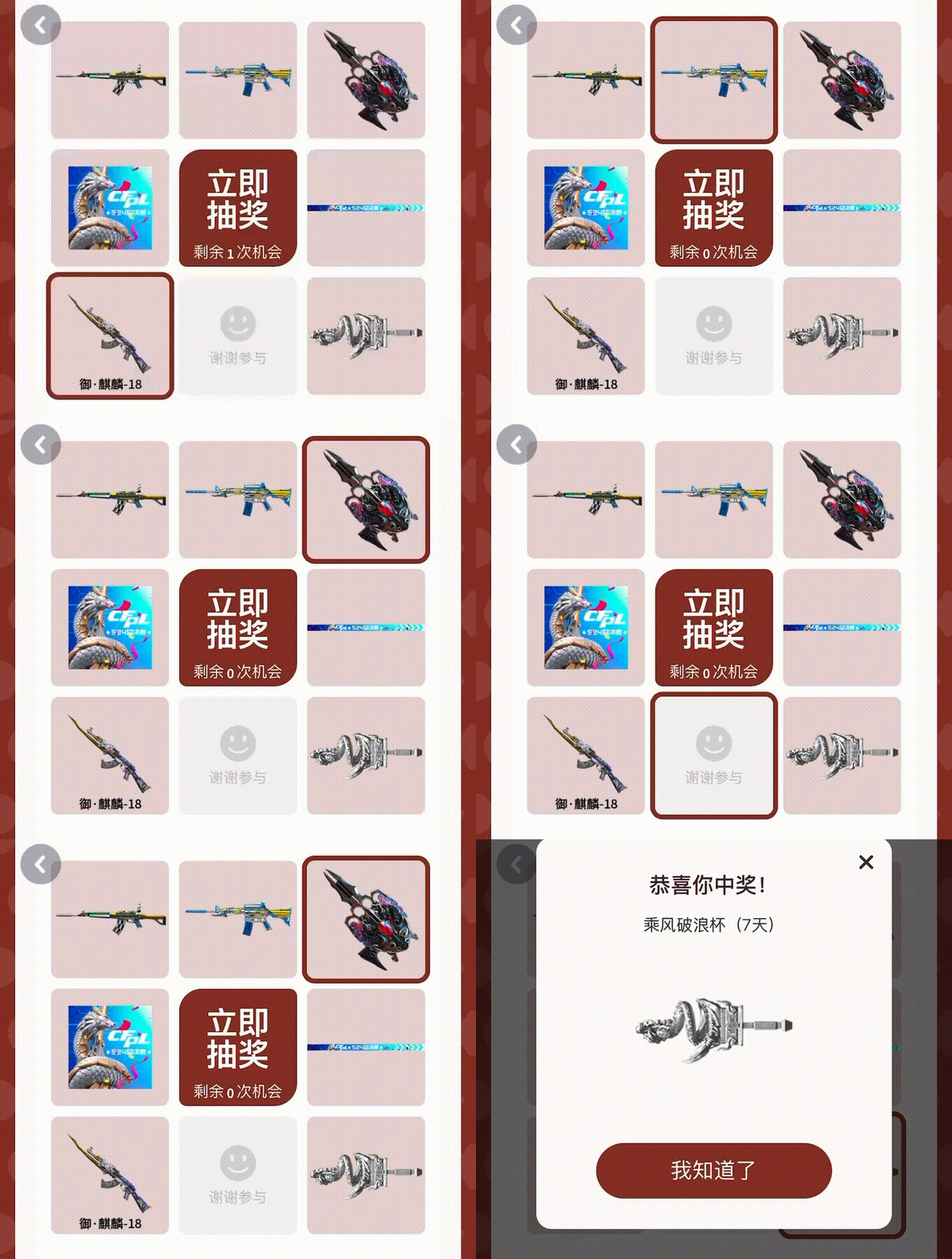
给你个例子,资金体会一下
<!DOCTYPE html>
<html lang="zh">
<head>
<meta charset="UTF-8">
<meta name="viewport" content="width=device-width, initial-scale=1.0">
<title>九宫格抽奖</title>
<style>
body {
font-family: Arial, sans-serif;
display: flex;
justify-content: center;
align-items: center;
height: 100vh;
margin: 0;
background-color: #f4f4f4;
}
.lottery-container {
display: grid;
grid-template-columns: repeat(3, 100px);
grid-template-rows: repeat(3, 100px);
gap: 5px;
cursor: pointer;
}
.lottery-cell {
width: 100px;
height: 100px;
background-color: #ccc;
display: flex;
justify-content: center;
align-items: center;
font-size: 16px;
color: #fff;
border-radius: 10px;
transition: background-color 0.3s;
}
.highlight {
background-color: #ffcc00;
}
#prize-details {
display: none;
padding: 20px;
background-color: #fff;
border-radius: 10px;
box-shadow: 0 0 10px rgba(0, 0, 0, 0.1);
width: 300px;
text-align: center;
}
#prize-details h2 {
margin-bottom: 20px;
}
#prize-details button {
padding: 10px 20px;
background-color: #4CAF50;
color: white;
border: none;
border-radius: 5px;
cursor: pointer;
}
#prize-details button:hover {
background-color: #45a049;
}
</style>
</head>
<body>
<div class="lottery-container">
<div class="lottery-cell" id="cell-0">奖品1</div>
<div class="lottery-cell" id="cell-1">奖品2</div>
<div class="lottery-cell" id="cell-2">奖品3</div>
<div class="lottery-cell" id="cell-3">奖品4</div>
<div class="lottery-cell" id="cell-4">点击开始</div>
<div class="lottery-cell" id="cell-5">奖品5</div>
<div class="lottery-cell" id="cell-6">奖品6</div>
<div class="lottery-cell" id="cell-7">奖品7</div>
<div class="lottery-cell" id="cell-8">奖品8</div>
</div>
<div id="prize-details">
<h2>恭喜!您获得了奖品5</h2>
<p>详细描述:这是一个非常棒的奖品!</p>
<button onclick="closePrizeDetails()">关闭</button>
</div>
<script>
const lotteryCells = document.querySelectorAll('.lottery-cell');
const prizeDetails = document.getElementById('prize-details');
let timer;
let currentHighlight = 0;
let prizeIndex = 4; // 最终停在奖品5的位置
// 顺时针依次高亮的顺序
const highlightOrder = [1, 2, 5, 8, 7, 6, 3, 0];
function highlightCells() {
let highlightCount = 0;
let highlightInterval = setInterval(() => {
// 清除之前的高亮
lotteryCells[highlightOrder[highlightCount]].classList.remove('highlight');
highlightCount++;
if (highlightCount === highlightOrder.length) {
clearInterval(highlightInterval);
stopLottery();
} else {
// 逐个顺时针高亮
lotteryCells[highlightOrder[highlightCount]].classList.add('highlight');
}
}, 300); // 每个格子高亮时间为300ms,速度加快
}
function stopLottery() {
// 停止在一个格子上
lotteryCells[prizeIndex].classList.add('highlight');
setTimeout(() => {
showPrizeDetails();
}, 500);
}
function showPrizeDetails() {
prizeDetails.style.display = 'block';
}
function closePrizeDetails() {
prizeDetails.style.display = 'none';
}
// 点击中间格子开始抽奖
document.getElementById('cell-4').addEventListener('click', () => {
lotteryCells[4].textContent = "抽奖中...";
highlightCells();
});
</script>
</body>
</html>