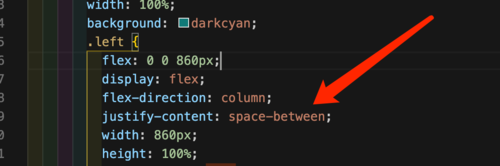
左边6个盒子不能完全展示
老师你好,我是跟视频一样的布局样式,但是左边6个盒子不能完全展示,没找出来原因
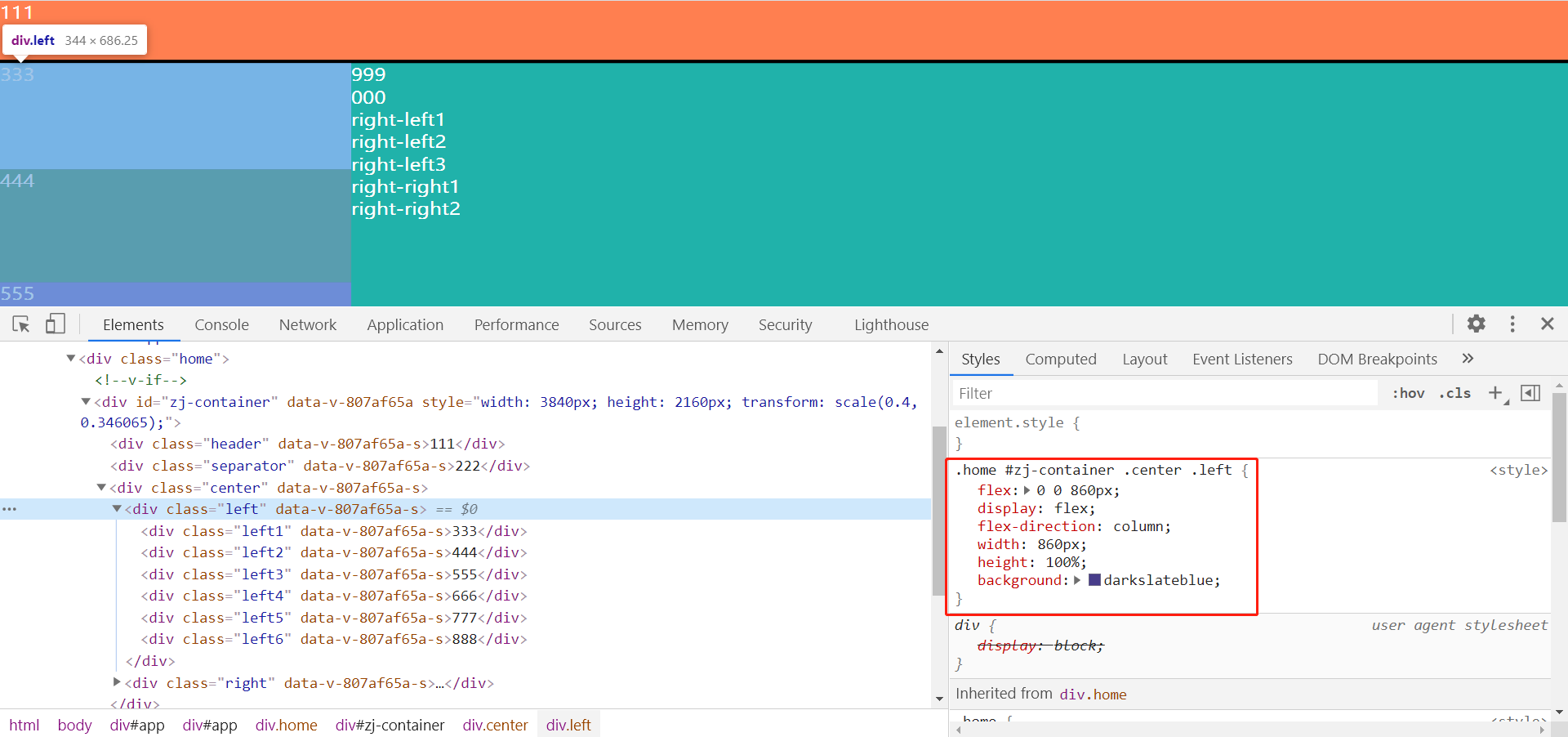
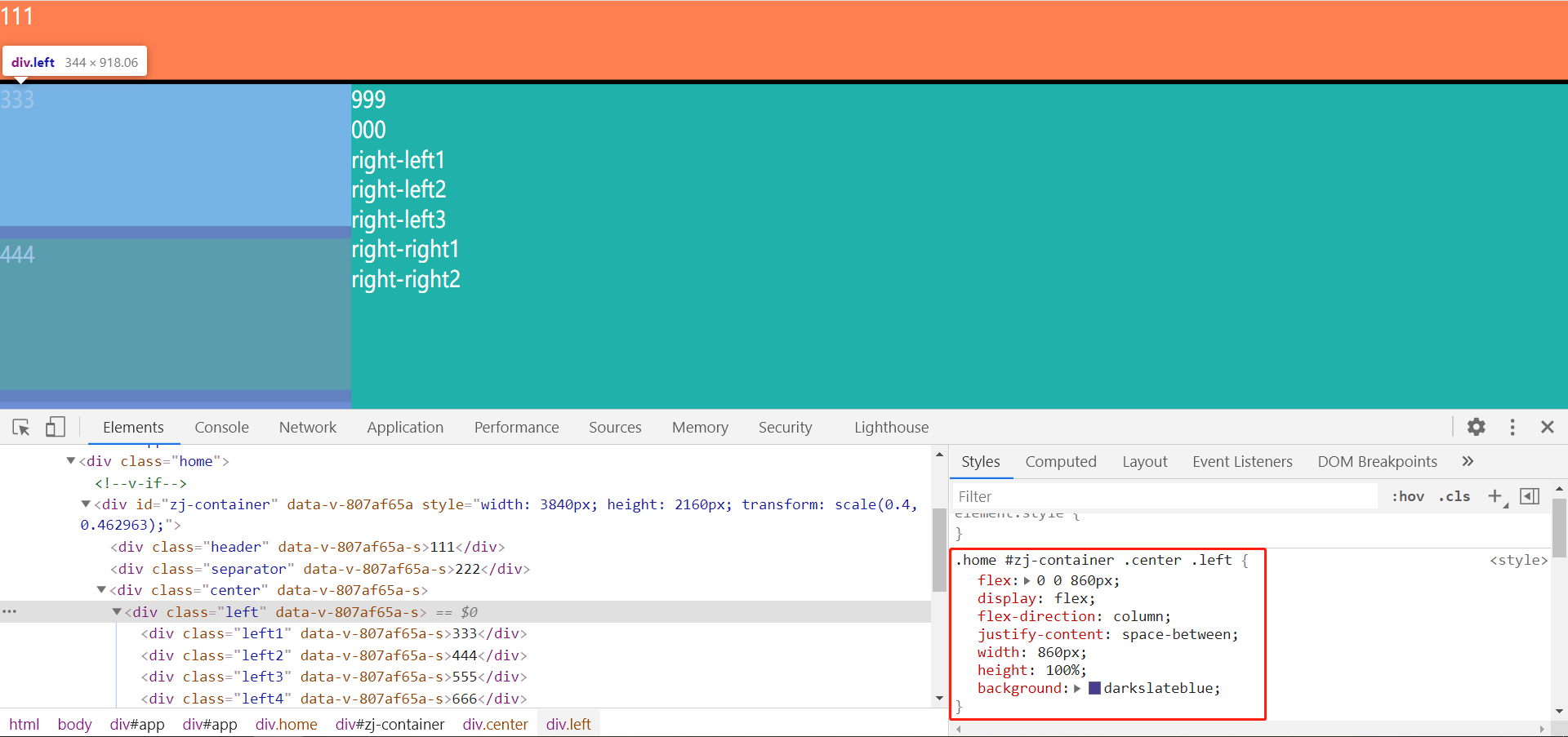
老师你好,这次我加了浏览器检查元素的图片,我个人排查下来觉得不是样式影响的,因为在控制台上下滑动过程中,也就是视口改变的过程中,我可以看到其他被遮挡的盒子一闪而过,我觉得是容器组件哪里影响的,但是目前又没排查出来原因。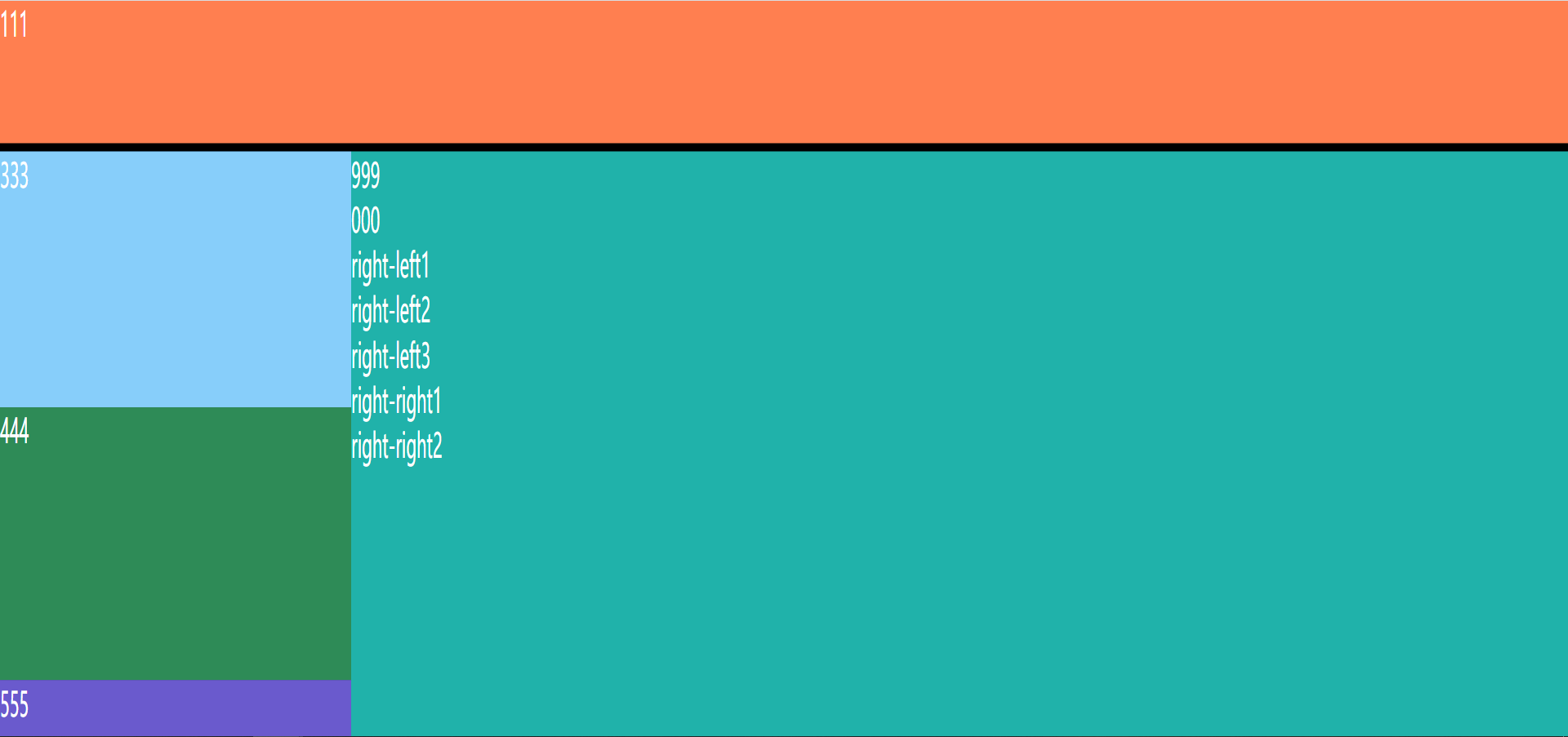
<template>
	<div id="zj-container" :ref="refName">
		<template v-if="ready">
			<slot></slot>
		</template>
	</div>
</template>

<script>
import { ref, getCurrentInstance, onMounted, onUnmounted, nextTick } from 'vue'
import { debounce } from '../../utils'
export default {
	name: 'Container',
	props: {
		options: Object
	},
	setup(ctx) {
		const refName = 'zjContainer'
		const width = ref(0)
		const height = ref(0)
		const originalWidth = ref(0)
		const originalHeight = ref(0)
		const ready = ref(false)
		let context, dom, observer // dom 也要定义成全局的,它只需要获取一次

		const initSize = () => {
			return new Promise((resolve) => {
				nextTick(() => {
					dom = context.$refs[refName]
							// 获取大屏的真实尺寸
					if (ctx.options && ctx.options.width && ctx.options.height) {
						width.value = ctx.options.width
						height.value = ctx.options.height
					} else {
						width.value = dom.clientWidth
						height.value = dom.clientHeight
					}
					// 获取画布尺寸
					if (!originalWidth.value || !originalHeight.value) {
						originalWidth.value = window.screen.width
						originalHeight.value = window.screen.height // window可以省略
					}
					console.log(width.value, height.value, originalWidth.value, originalHeight.value)
					resolve()
				})
			})
		}

		const updateSize = () => {
			if (width.value && height.value) {
				dom.style.width = `${width.value}px`
				dom.style.height = `${height.value}px`
			} else {
				dom.style.width = `${originalWidth.value}px`
				dom.style.height = `${originalHeight.value}px`
			}
		}

		const updateScale = () => {
			// 获取真实视口尺寸
			const currentWidth = document.body.clientWidth
			const currentHeight = document.body.clientHeight
			// 获取大屏最终的宽高
			const realWidth = width.value || originalWidth.value
			const realHeight = width.height || originalHeight.value
			const widthScale = currentWidth / realWidth
			const heightScale = currentHeight / realHeight
			dom && (dom.style.transform = `scale(${widthScale}, ${heightScale})`)
		}

		const onResize = async (e) => {
			console.log('onResize', e)
			await initSize()
			updateScale()
		}

		const initMutationObserver = () => {
			// 兼容 WebKit 内核,兼容 firefox Moz 内核
			const MutationObserver = window.MutationObserver || window.WebKitMutationObserver || window.MozMutationObserver

			observer = new MutationObserver(onResize)
			observer.observe(dom, {
				atrributes: true, // 监听属性
				atrributeFilter: ['style'], // 指定监听的属性
				attributeOldValue: true // 会在监听的方法 onResize里传入一个对象
			})
		}

		const removeMutationObserver = () => {
			if (observer) {
				observer.disconnect()
				observer.takeRecords()
				observer = null
			}
		}

		onMounted(async () => {
			ready.value = false
			context = getCurrentInstance().ctx
			await initSize()
			updateSize()
			updateScale()

			// 加上防重发方法,在一定时间内,只会执行一次,
			window.addEventListener('resize', debounce(100, onResize))

			initMutationObserver()
			ready.value = true
		})

		onUnmounted(() => {
			window.removeEventListener('resize', onResize)

			removeMutationObserver()
		})
		return {
			refName,
			ready
		}
	}
};
</script>

<style lang="scss" scoped>
	#zj-container {
		position: fixed;
		top: 0;
		left: 0;
		overflow: hidden;
		transform-origin: left top;
		z-index: 999;
	}
</style>
881
收起

 这里是获取传递过来的高度,height.value