requires a project to execute but there is no POM in this directory
步骤一:
log-generator-1.0.jar放置到:
C:\Users\jieqiong\Desktop/log-generator-1.0.jar
步骤二:
执行以下命令
[C:\Users\jieqiong\IdeaProjects]$ mvn install:install-file
-Dfile=C:\Users\jieqiong\Desktop/log-generator-1.0.jar
-DgroupId=com.imooc.bigdata
-DartifactId=log-gen
-Dversion=1.0
-Dpackaging=jar
还是报错:
[INFO] Scanning for projects…
[INFO] ------------------------------------------------------------------------
[INFO] BUILD FAILURE
[INFO] ------------------------------------------------------------------------
[INFO] Total time: 0.046 s
[INFO] Finished at: 2021-12-06T15:16:04+08:00
[INFO] Final Memory: 7M/243M
[INFO] ------------------------------------------------------------------------
[ERROR] The goal you specified requires a project to execute but there is no POM in this directory (C:\Users\jieqiong\IdeaProjects). Please verify you invoked Maven from the correct directory. -> [Help 1]
[ERROR]
[ERROR] To see the full stack trace of the errors, re-run Maven with the -e switch.
[ERROR] Re-run Maven using the -X switch to enable full debug logging.
[ERROR]
[ERROR] For more information about the errors and possible solutions, please read the following articles:
[ERROR] [Help 1] http://cwiki.apache.org/confluence/display/MAVEN/MissingProjectException
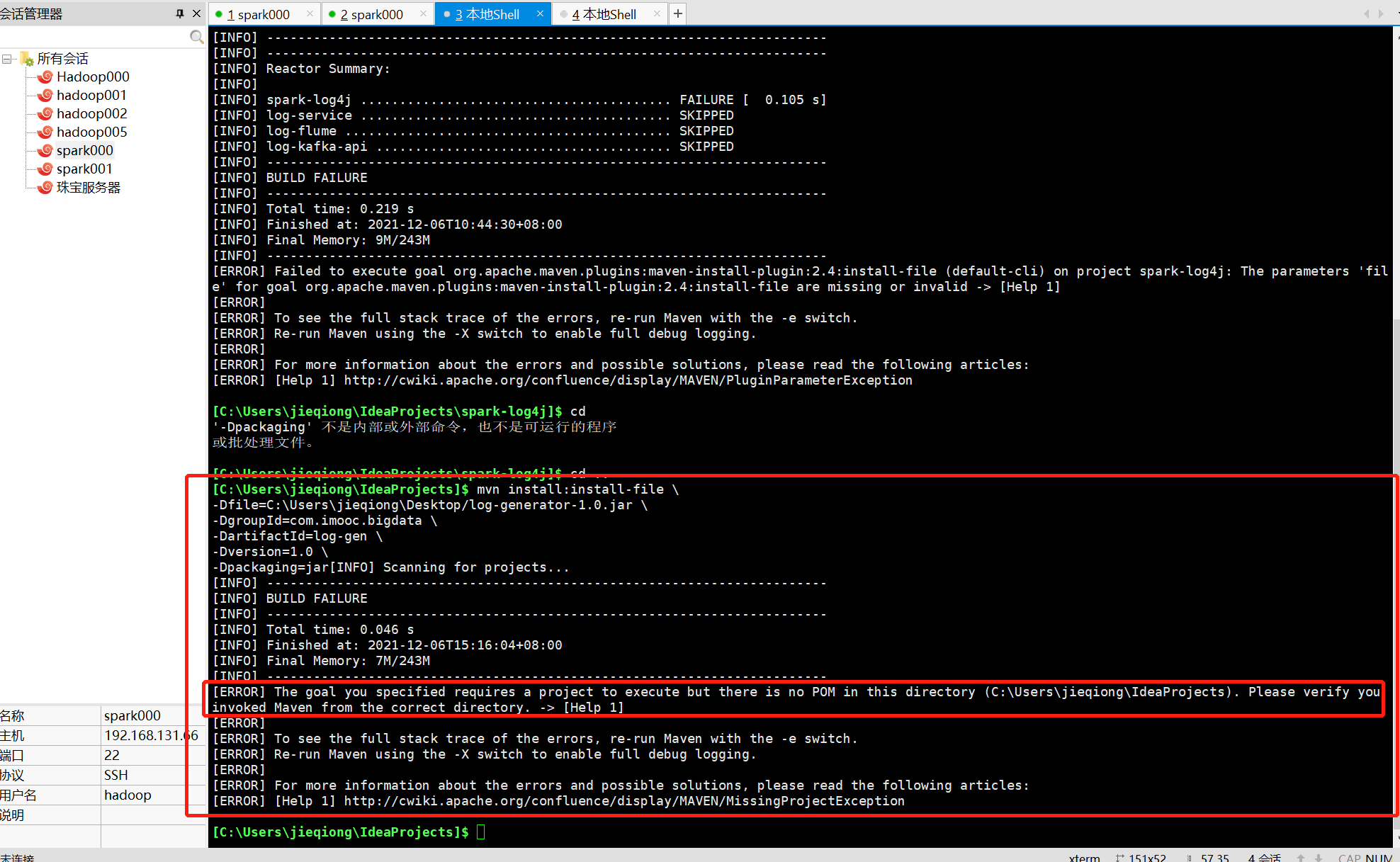
我的理解是log-generator-1.0.jar需要和主pom文件放在一起。
但是放在一起的话,也报错:
The parameters ‘file’ for goal org.apache.maven.plugins:maven-install-plugin:2.4:install-file are missing or invalid
正在回答 回答被采纳积分+3
1回答

相似问题







登录后可查看更多问答,登录/注册