不懂为啥这里设置paddingLeft后,右边出现空白
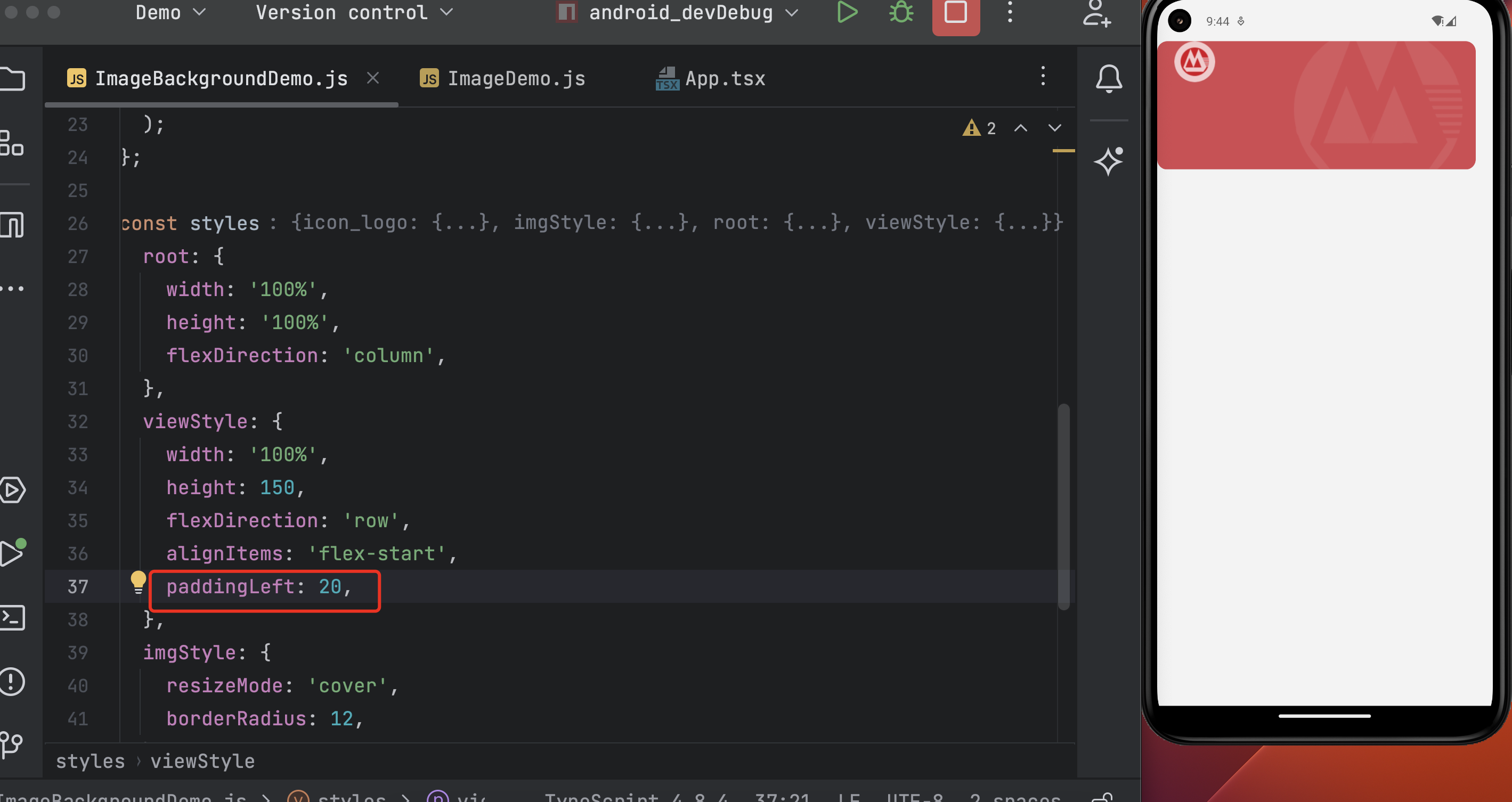
完整代码:
import React, {useRef} from 'react';
import {StyleSheet, ImageBackground, View, Image} from 'react-native';

import bg_card from '../assets/images/bg_card.png';
import icon_bank from '../assets/images/icon_bank.png';

export default () => {
  // const viewRef = useRef(null);
  // const imgRef = useRef(null);

  return (
    <View style={styles.root}>
      <ImageBackground
        style={styles.viewStyle}
        imageStyle={styles.imgStyle}
        source={bg_card}
        // ref={viewRef}
        // imageRef={imgRef}
      >
        <Image style={styles.icon_logo} source={icon_bank} />
      </ImageBackground>
    </View>
  );
};

const styles = StyleSheet.create({
  root: {
    width: '100%',
    height: '100%',
    flexDirection: 'column',
  },
  viewStyle: {
    width: '100%',
    height: 150,
    flexDirection: 'row',
    alignItems: 'flex-start',
    paddingLeft: 20,
  },
  imgStyle: {
    resizeMode: 'cover',
    borderRadius: 12,
  },
  icon_logo: {
    width: 48,
    height: 48,
  },
});
200
收起
正在回答 回答被采纳积分+3
1回答

相似问题
为什么 bar chart 这里不设置boundary:false
1359
0
2




在手机端设置代理后访问sell.com出现页面后立马闪退成空白页
1511
0
3

老师这里为啥不把tableData置为空,table不刷新呢?
1165
1
4


登录后可查看更多问答,登录/注册