授权登录的两种更新
代码迭代看到了两种实现首选登录写法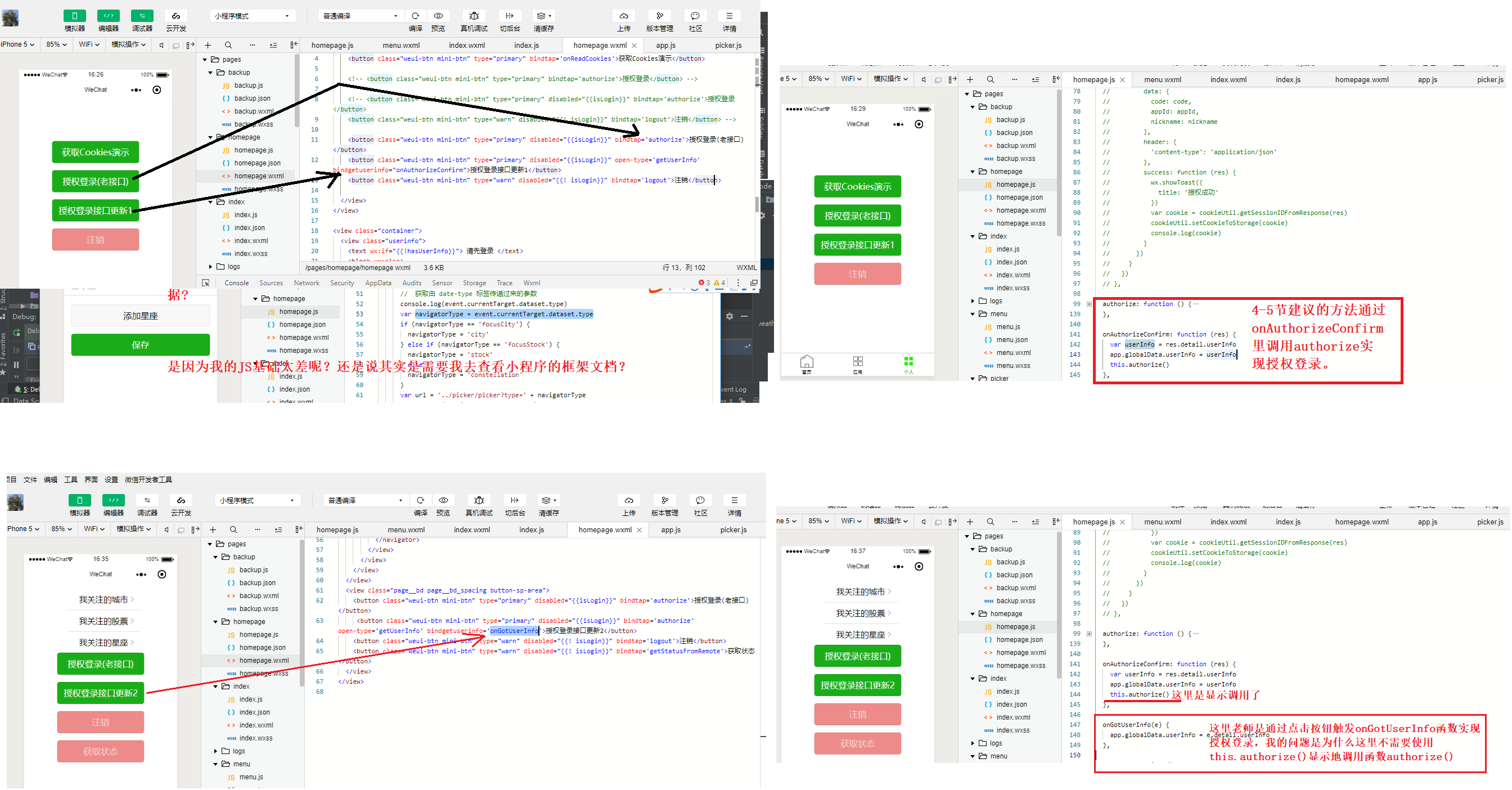
  authorize: function () {
    console.log('authorize')
    var that = this
    // 登陆并获取cookie
    wx.login({
      success: function (res) {
        console.log(res)
        var code = res.code
        var appId = app.globalData.appId
        var nickname = app.globalData.userInfo.nickName
        // 请求后台
        wx.request({
          url: app.globalData.serverUrl + app.globalData.apiVersion + '/auth/authorize',
          method: 'POST',
          data: {
            code: code,
            appId: appId,
            nickname: nickname
          },
          header: {
            'content-type': 'application/json' // 默认值
          },
          success(res) {
            wx.showToast({
              title: '授权成功',
            })
            // 保存cookie
            var cookie = cookieUtil.getSessionIDFromResponse(res)
            cookieUtil.setCookieToStorage(cookie)
            console.log(cookie)
            that.setData({
              isLogin: true,
              userInfo: app.globalData.userInfo,
              hasUserInfo: true
            })
            app.setAuthStatus(true)
          }
        })
      }
    })
  },

  onAuthorizeConfirm: function (res) {
    var userInfo = res.detail.userInfo
    app.globalData.userInfo = userInfo
    this.authorize()
  },

  onGotUserInfo(e) {
    app.globalData.userInfo = e.detail.userInfo
    ***//这里为什么不需要写 this.authorize()***
  },
  onAuthorizeConfirm: function (res) {
    var userInfo = res.detail.userInfo
    app.globalData.userInfo = userInfo
    this.authorize()//这里不能省略 因为wxml中没有 bindtap='authorize'
  },


今天测试了下发现this.authorize()不能省
  onGotUserInfo(e) {
    app.globalData.userInfo = e.detail.userInfo
    this.authorize() //这里好像也要写 this.authorize() 虽然wxml中有 bindtap = 'authorize',否则要点击两次
  },
616
收起
正在回答 回答被采纳积分+3
2回答


相似问题
授权问题
1016
0
3

三方登录时报错
1169
0
3


登录授权问题
779
0
4
如果同一个系统有两种登录,session要怎么设置
1244
0
12


关于小程序用户登录按钮
1301
1
5


登录后可查看更多问答,登录/注册