根据glusterfs-daemonset.yaml创建Pod,健康检查不通过
老师您好,我根据视频中的glusterfs-daemonset.yaml文件创建pod的时候,健康检查不通过,下面是错误信息: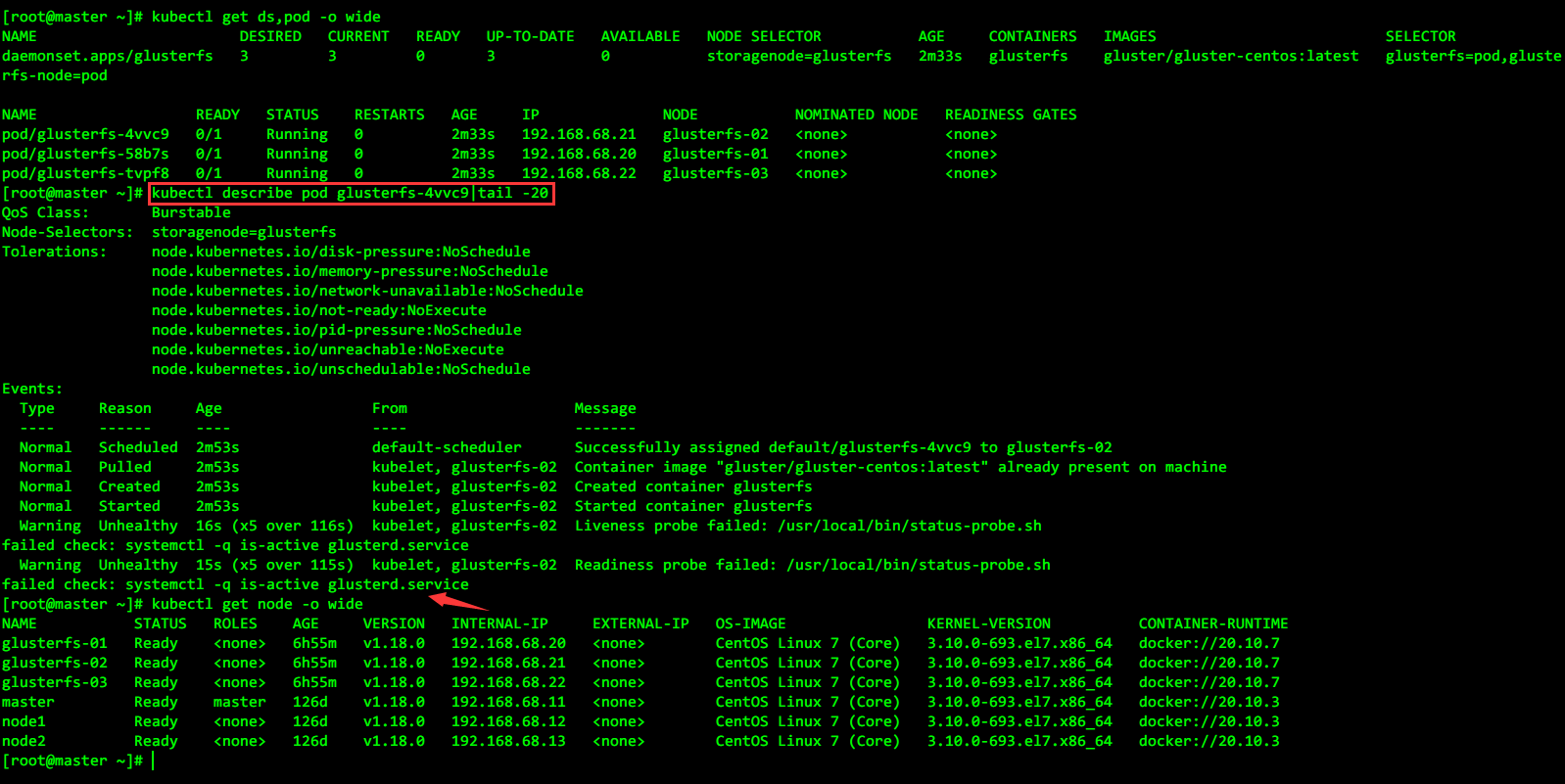
然后glusterfs-daemonset.yaml文件我就改了下面两处,其它都和老师提供的内容是一样的: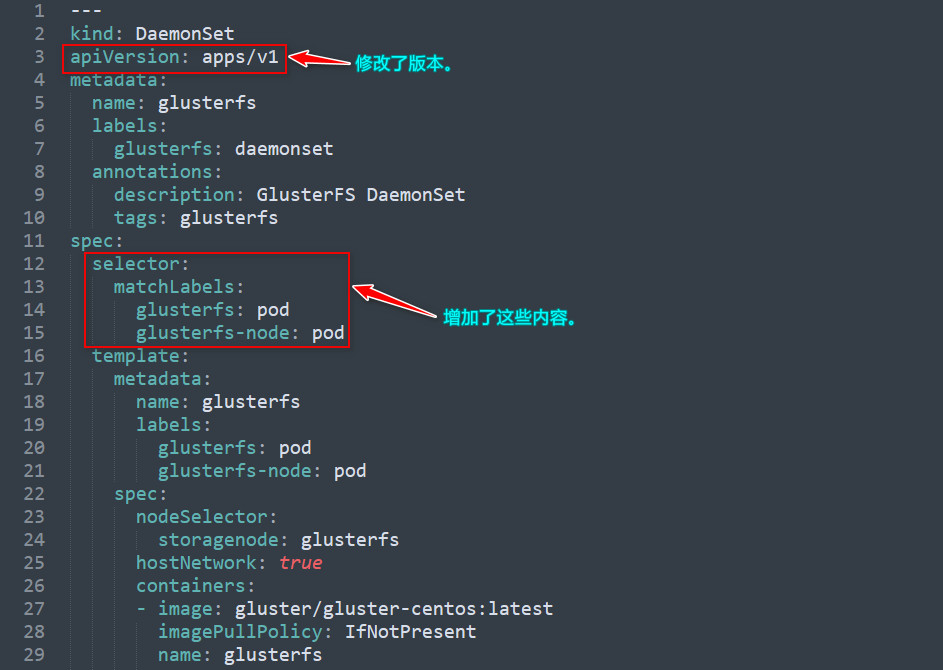
说明:之所以要改上面那两处,是因为我安装的k8s版本比视频中的高,不改的话使用
kubectl apply -f命令基于yaml文件创建资源的时候会报错。
然后我进入容器中把健康检查涉及到的status-probe.sh脚本也拿出来了,内容如下:
#!/bin/bash
#
# Return overall status of the glusterfs container
#

require() {
    if ! "$@" ; then
        echo "failed check: $*" >&2
        exit 1
    fi
}

filesystem_used_under_limit() {
    path="$1"
    max_used="$2"
    curr_used="$(df --output=pcent "$path" | tail -n1  | awk '{print $1}')"
    curr_used="${curr_used%?}"
    [[ "$curr_used" -lt "$max_used" ]]
}

mode="$1"
case "$mode" in
    -h|--help|help)
        echo "Return overall container status"
        echo "    $0 [readiness|liveness]"
        exit 0
    ;;
    # currently the liveness and readiness check is the same
    # it does not always have to be this way
    ready|readiness|live|liveness|"")
        if [[ -z "$mode" ]] ; then
            echo "warning: no mode provided. Assuming liveness probe" >&2
        fi
        require systemctl -q is-active glusterd.service

        if [[ "$GLUSTER_BLOCKD_STATUS_PROBE_ENABLE" -eq 1 ]]; then
            require systemctl -q is-active gluster-blockd.service
        fi

        require filesystem_used_under_limit "/var/lib/glusterd" 99
    ;;
    *)
        echo "error: unknown mode $mode" >&2
        exit 2
    ;;
esac
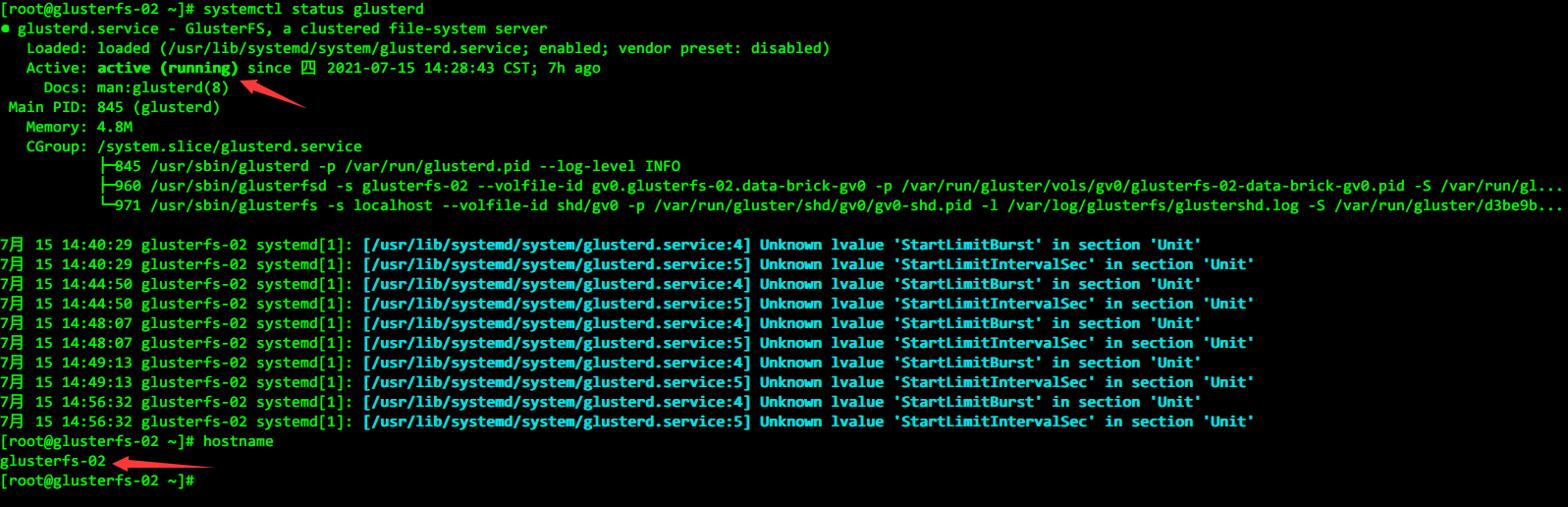
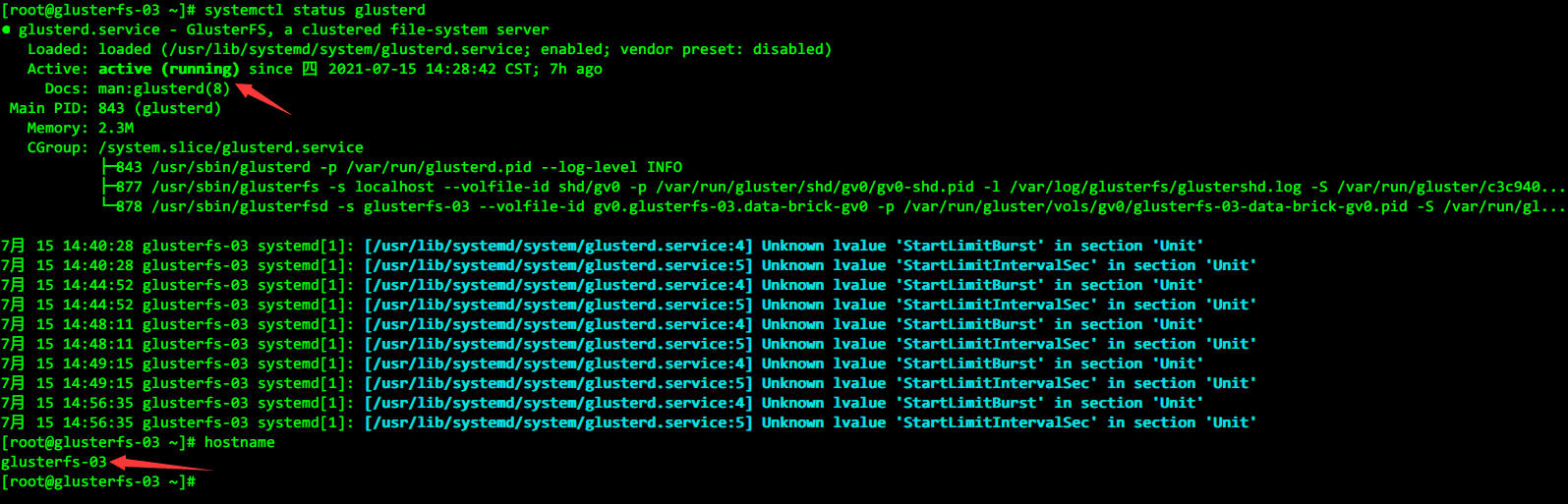
然后我这边glusterfs相关的三台worker节点上glusterd服务也都是正常运行的: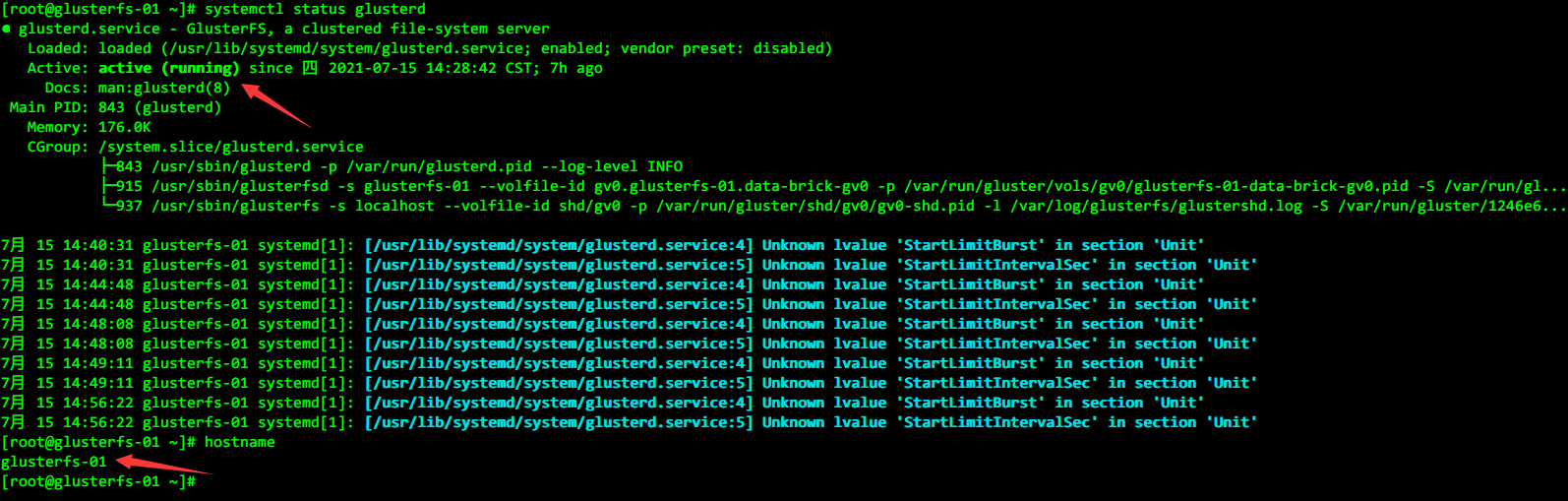
774
收起
正在回答 回答被采纳积分+3
1回答

相似问题


登录后可查看更多问答,登录/注册