Jenkins 源码管理的git配置失败,请帮忙看看,谢谢
Jenkins 源码管理的git配置失败,报错有2种:
1.Failed to connect to repository : Error performing git command: C:\Program Files\Git\bin ls-remote -h git@gitee.com:hundred-battles-fight/imoocinterface.git HEAD
2.Failed to connect to repository : Command “git.exe ls-remote -h – git@gitee.com:hundred-battles-fight/imoocinterface.git HEAD” returned status code 128:
stdout:
stderr: git@gitee.com: Permission denied (publickey).
fatal: Could not read from remote repository.
百度了好久,原因有3个:
1.Global Tool Configuration的git路径不对。这个我试过好多git路径,都不行,详见下面截图
2.git版本问题:这个我本地版本git version 2.31.1.windows.1,官网最新版本才2.32,所以应该也不是
3.秘钥问题:gitlab的秘钥是pc本地用户生成的,网上有个别帖子说必须Jenkins用户进行,但那都是mac的,windows不知怎么处理,所以这个方法没试。
请老师帮忙看看,这个怎么解决。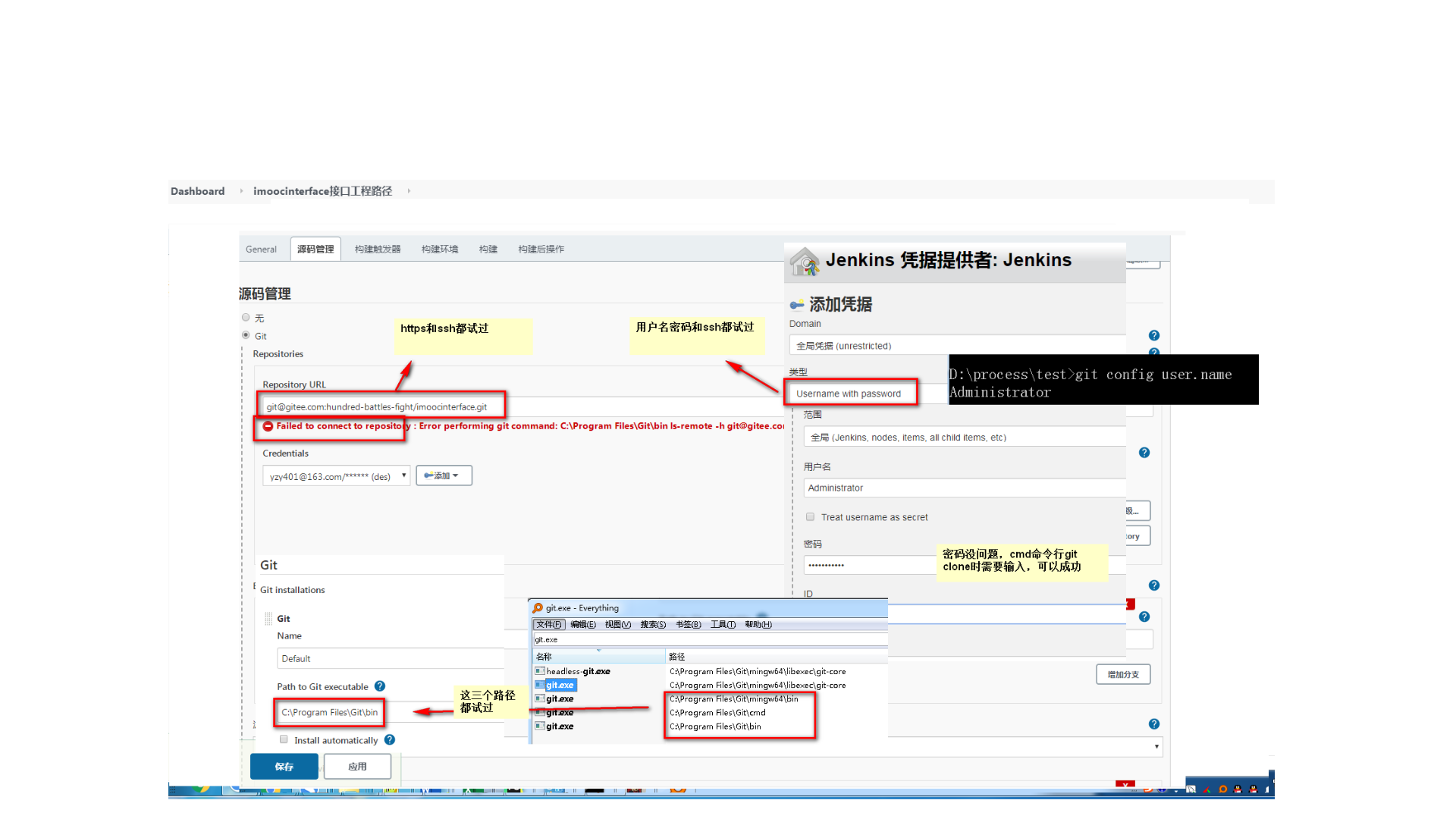
1316
收起
正在回答 回答被采纳积分+3
2回答

相似问题







登录后可查看更多问答,登录/注册