采纳答案成功!
向帮助你的同学说点啥吧!感谢那些助人为乐的人
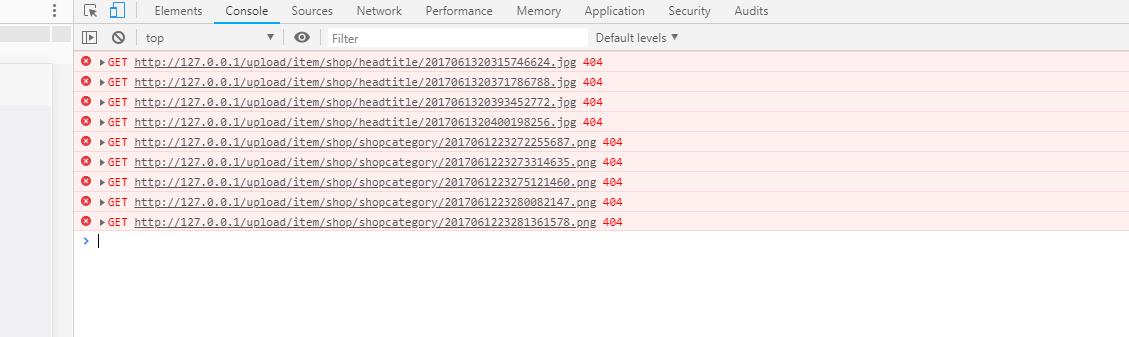
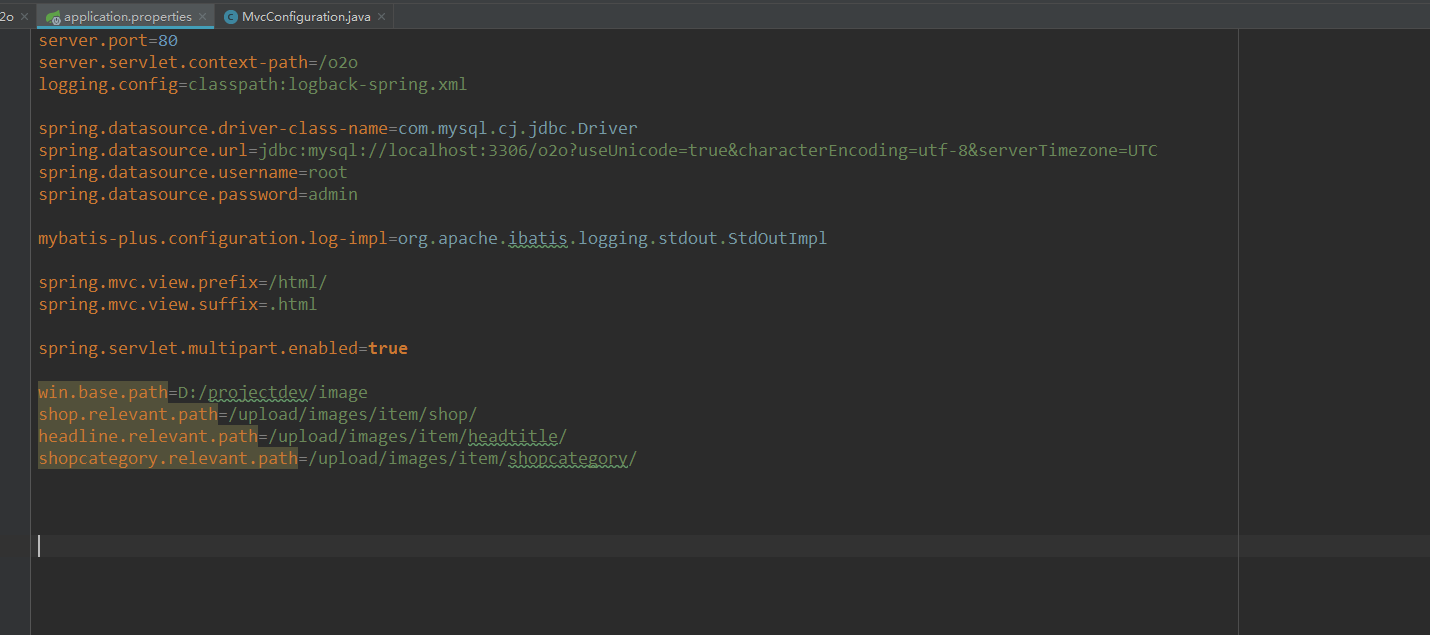
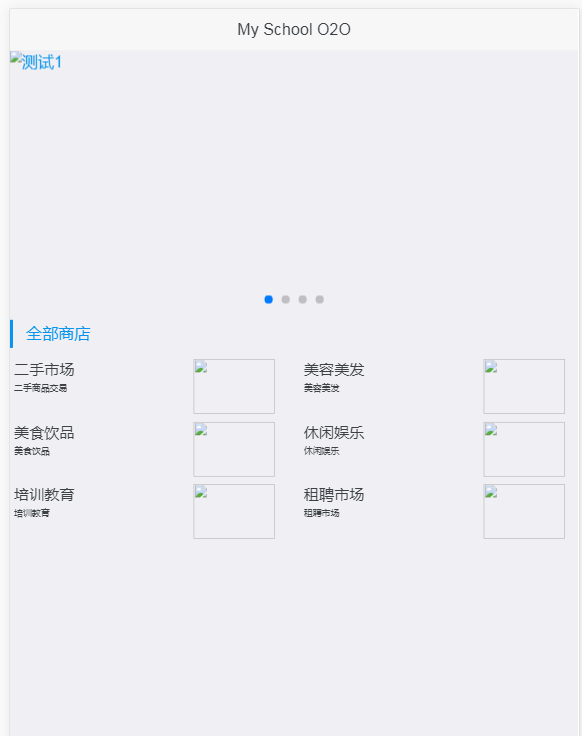
老师springboot项目是集成的,应该用不到外部tomcat,所以设置外部的配置文件是起不到作用的,我在网上看了很多教程,用配置类去实现,依旧不行.
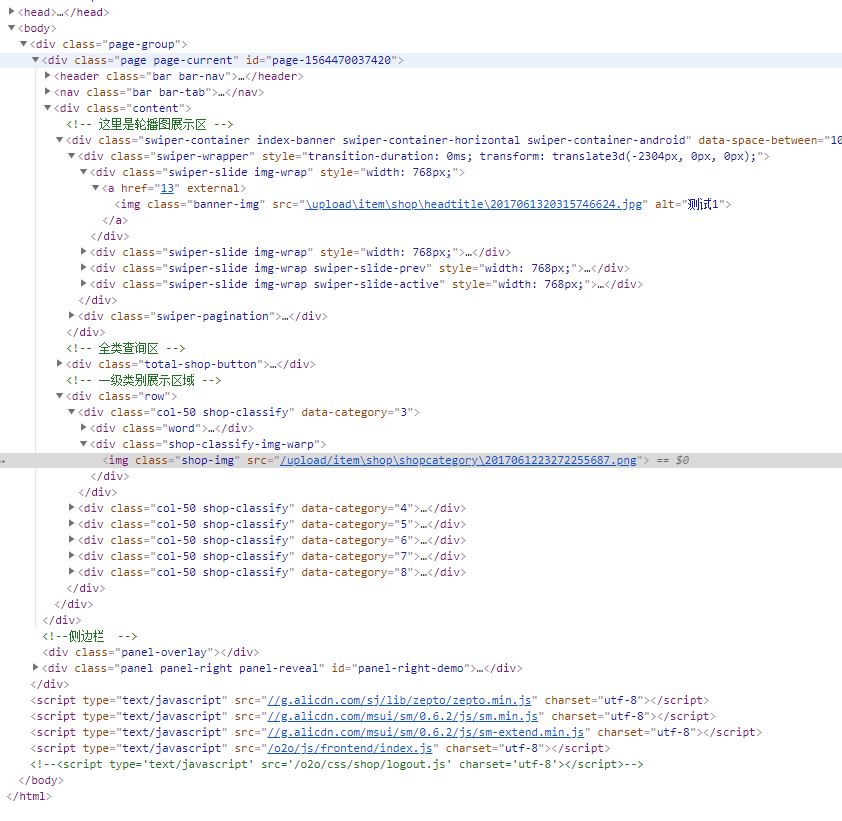



除了上面路径要改之外,还参考下我的springboot里面的路径配置
package com.imooc.o2o.config.web;
import javax.servlet.ServletException;
import org.springframework.beans.BeansException;
import org.springframework.beans.factory.annotation.Value;
import org.springframework.boot.web.servlet.ServletRegistrationBean;
import org.springframework.context.ApplicationContext;
import org.springframework.context.ApplicationContextAware;
import org.springframework.context.annotation.Bean;
import org.springframework.context.annotation.Configuration;
import org.springframework.web.multipart.commons.CommonsMultipartResolver;
import org.springframework.web.servlet.ViewResolver;
import org.springframework.web.servlet.config.annotation.DefaultServletHandlerConfigurer;
import org.springframework.web.servlet.config.annotation.EnableWebMvc;
import org.springframework.web.servlet.config.annotation.InterceptorRegistration;
import org.springframework.web.servlet.config.annotation.InterceptorRegistry;
import org.springframework.web.servlet.config.annotation.ResourceHandlerRegistry;
import org.springframework.web.servlet.config.annotation.WebMvcConfigurerAdapter;
import org.springframework.web.servlet.view.InternalResourceViewResolver;
import com.google.code.kaptcha.servlet.KaptchaServlet;
import com.imooc.o2o.interceptor.shopadmin.ShopLoginInterceptor;
import com.imooc.o2o.interceptor.shopadmin.ShopPermissionInterceptor;
/**
* 开启Mvc,自动注入spring容器。 WebMvcConfigurerAdapter:配置视图解析器
* 当一个类实现了这个接口(ApplicationContextAware)之后,这个类就可以方便获得ApplicationContext中的所有bean
*
* @author xiangze
*
*/
@Configuration
// 等价于<mvc:annotation-driven/>
@EnableWebMvc
public class MvcConfiguration extends WebMvcConfigurerAdapter implements ApplicationContextAware {
// Spring容器
private ApplicationContext applicationContext;
@Override
public void setApplicationContext(ApplicationContext applicationContext) throws BeansException {
this.applicationContext = applicationContext;
}
/**
* 静态资源配置
*
* @param registry
*/
@Override
public void addResourceHandlers(ResourceHandlerRegistry registry) {
// registry.addResourceHandler("/resources/**").addResourceLocations("classpath:/resources/");
registry.addResourceHandler("/upload/**").addResourceLocations("file:/Users/baidu/work/image/upload/");
}
/**
* 定义默认的请求处理器
*/
@Override
public void configureDefaultServletHandling(DefaultServletHandlerConfigurer configurer) {
configurer.enable();
}
/**
* 创建viewResolver
*
* @return
*/
@Bean(name = "viewResolver")
public ViewResolver createViewResolver() {
InternalResourceViewResolver viewResolver = new InternalResourceViewResolver();
// 设置Spring 容器
viewResolver.setApplicationContext(this.applicationContext);
// 取消缓存
viewResolver.setCache(false);
// 设置解析的前缀
viewResolver.setPrefix("/WEB-INF/html/");
// 设置试图解析的后缀
viewResolver.setSuffix(".html");
return viewResolver;
}
/**
* 文件上传解析器
*
* @return
*/
@Bean(name = "multipartResolver")
public CommonsMultipartResolver createMultipartResolver() {
CommonsMultipartResolver multipartResolver = new CommonsMultipartResolver();
multipartResolver.setDefaultEncoding("utf-8");
// 1024 * 1024 * 20 = 20M
multipartResolver.setMaxUploadSize(20971520);
multipartResolver.setMaxInMemorySize(20971520);
return multipartResolver;
}
@Value("${kaptcha.border}")
private String border;
@Value("${kaptcha.textproducer.font.color}")
private String fcolor;
@Value("${kaptcha.image.width}")
private String width;
@Value("${kaptcha.textproducer.char.string}")
private String cString;
@Value("${kaptcha.image.height}")
private String height;
@Value("${kaptcha.textproducer.font.size}")
private String fsize;
@Value("${kaptcha.noise.color}")
private String nColor;
@Value("${kaptcha.textproducer.char.length}")
private String clength;
@Value("${kaptcha.textproducer.font.names}")
private String fnames;
/**
* 由于web.xml不生效了,需要在这里配置Kaptcha验证码Servlet
*/
@Bean
public ServletRegistrationBean servletRegistrationBean() throws ServletException {
ServletRegistrationBean servlet = new ServletRegistrationBean(new KaptchaServlet(), "/Kaptcha");
servlet.addInitParameter("kaptcha.border", border);// 无边框
servlet.addInitParameter("kaptcha.textproducer.font.color", fcolor); // 字体颜色
servlet.addInitParameter("kaptcha.image.width", width);// 图片宽度
servlet.addInitParameter("kaptcha.textproducer.char.string", cString);// 使用哪些字符生成验证码
servlet.addInitParameter("kaptcha.image.height", height);// 图片高度
servlet.addInitParameter("kaptcha.textproducer.font.size", fsize);// 字体大小
servlet.addInitParameter("kaptcha.noise.color", nColor);// 干扰线的颜色
servlet.addInitParameter("kaptcha.textproducer.char.length", clength);// 字符个数
servlet.addInitParameter("kaptcha.textproducer.font.names", fnames);// 字体
return servlet;
}
/**
* 添加拦截器配置
*/
@Override
public void addInterceptors(InterceptorRegistry registry) {
String interceptPath = "/shopadmin/**";
// 注册拦截器
InterceptorRegistration loginIR = registry.addInterceptor(new ShopLoginInterceptor());
// 配置拦截的路径
loginIR.addPathPatterns(interceptPath);
// 还可以注册其它的拦截器
InterceptorRegistration permissionIR = registry.addInterceptor(new ShopPermissionInterceptor());
// 配置拦截的路径
permissionIR.addPathPatterns(interceptPath);
// 配置不拦截的路径
/**shoplist page **/
permissionIR.excludePathPatterns("/shopadmin/shoplist");
permissionIR.excludePathPatterns("/shopadmin/getshoplist");
/**shopregister page **/
permissionIR.excludePathPatterns("/shopadmin/getshopinitinfo");
permissionIR.excludePathPatterns("/shopadmin/registershop");
permissionIR.excludePathPatterns("/shopadmin/shopoperation");
/**shopmanage page **/
permissionIR.excludePathPatterns("/shopadmin/shopmanagement");
permissionIR.excludePathPatterns("/shopadmin/getshopmanagementinfo");
}
}登录后可查看更多问答,登录/注册
SSM商铺V1.0,解决毕设痛点;SpringBoot商铺V2.0,满足工作刚需
了解课程